
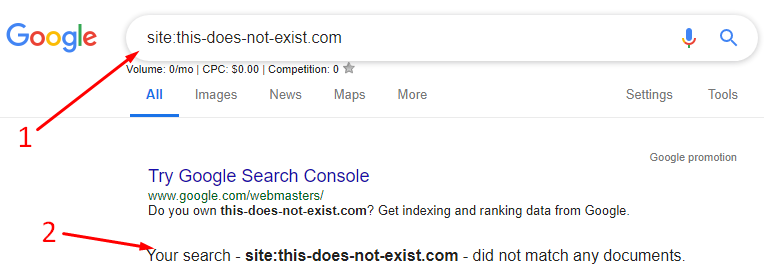
If your website isn’t showing up on Google, you can try these steps:
-
- Check if your site is indexed: Type “site:yourdomain.com” into the search box. If it shows up, it’s indexed.
- Submit a sitemap: Create an account and upload an XML sitemap to Google Search Console.
- Check for security issues: Make sure your site doesn’t have any security issues.
- Check your robots.txt file: Make sure you’re not blocking Google from crawling your site.
- Check your site’s speed: Use Google PageSpeed Insights to check your site’s speed.
- Check if your site is indexed: Type “site:yourdomain.com” into the search box. If it shows up, it’s indexed.
- Check your site’s accessibility: Test your site on a mobile phone and from different cities.
- Check for manual actions: Make sure there aren’t any manual actions applied to your page.
- Check for penalties: Make sure Google hasn’t penalized your website.
- Check your backlinks: Make sure you have enough backlinks.
- Check your internal links: Make sure all important pages are internally linked.
- Check your keyword market: Make sure your keyword market isn’t too competitive.
Other reasons why your website might not be showing up on Google include:
- Your website is too new
- Your website has “no index” tags
- Your website isn’t optimized for search engine crawling
- Google doesn’t trust your website
- Your website has duplicate content